
Download Syston Data Recovery Free – Secure, Fast & Powerful File Recovery Tool for Windows, Mac, Android & iOS
Syston Data Recovery Free is a reliable and user-friendly software designed to help users recover lost, deleted, or corrupted files from various storage devices. Whether you've accidentally deleted a crucial document, reformatted a drive, or lost data from a damaged external hard drive, this powerful tool offers a lifeline. With support for Windows, Mac, Android, and iOS devices, Syston Data Recovery Free is a versatile solution for personal and casual users.
Its intuitive interface and minimal learning curve make it ideal for beginners, while its advanced scanning algorithms ensure high recovery rates even in complex scenarios. The software operates without altering the original data, ensuring a safe recovery process. Best of all, it’s completely free to download and use with no time limits or hidden fees.
Upgrade options are available for users needing more advanced features.
Key Features of Syston Data Recovery Free
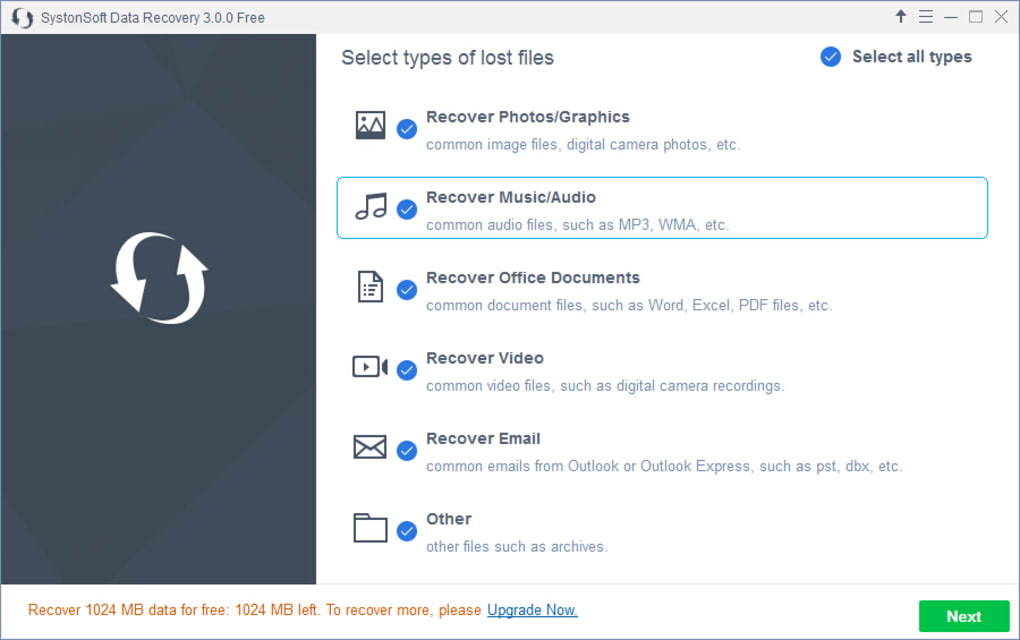
One of the standout aspects of Syston Data Recovery Free is its comprehensive set of features that cater to both novice and intermediate users. The software supports a wide range of file types, including documents (PDF, DOCX, XLSX), photos (JPEG, PNG, RAW), videos (MP4, AVI, MOV), music (MP3, WAV), emails (PST, EML), and archives (ZIP, RAR). This broad compatibility ensures that users can recover nearly any type of digital content they may have lost. The tool uses two intelligent scanning modes: a Quick Scan for recently deleted files and a Deep Scan for more severe data loss situations such as formatted drives, corrupted partitions, or physically damaged storage devices. The Quick Scan typically completes in under 10 minutes, while the Deep Scan may take longer but delivers thorough results.
Another major advantage is its compatibility with multiple devices. Users can recover data from internal hard drives, external drives, USB flash drives, SD cards, digital cameras, smartphones, and tablets. This makes it an excellent choice for those managing data across multiple platforms.
The software also handles hidden and encrypted files, which is particularly useful for recovering sensitive information that may have been inadvertently obscured. All scans are non-destructive—meaning no changes are made to the original data—ensuring a safe recovery process. Additionally, Syston Data Recovery Free does not install any unwanted toolbars, adware, or third-party software, maintaining system integrity and privacy.
The entire recovery process is streamlined into just three simple steps: launch the software, select the drive, and scan. After scanning, users can preview and selectively recover only the files they need, saving time and storage space.
How to Install and Use Syston Data Recovery Free
Getting started with Syston Data Recovery Free is straightforward and requires minimal technical knowledge. Begin by downloading the software from the official website. Ensure you're downloading from a trusted source to avoid malware or bundled software.
Once downloaded, run the installer file and follow the on-screen prompts. The installation process is quick and does not require advanced configuration. After installation, launch the application.
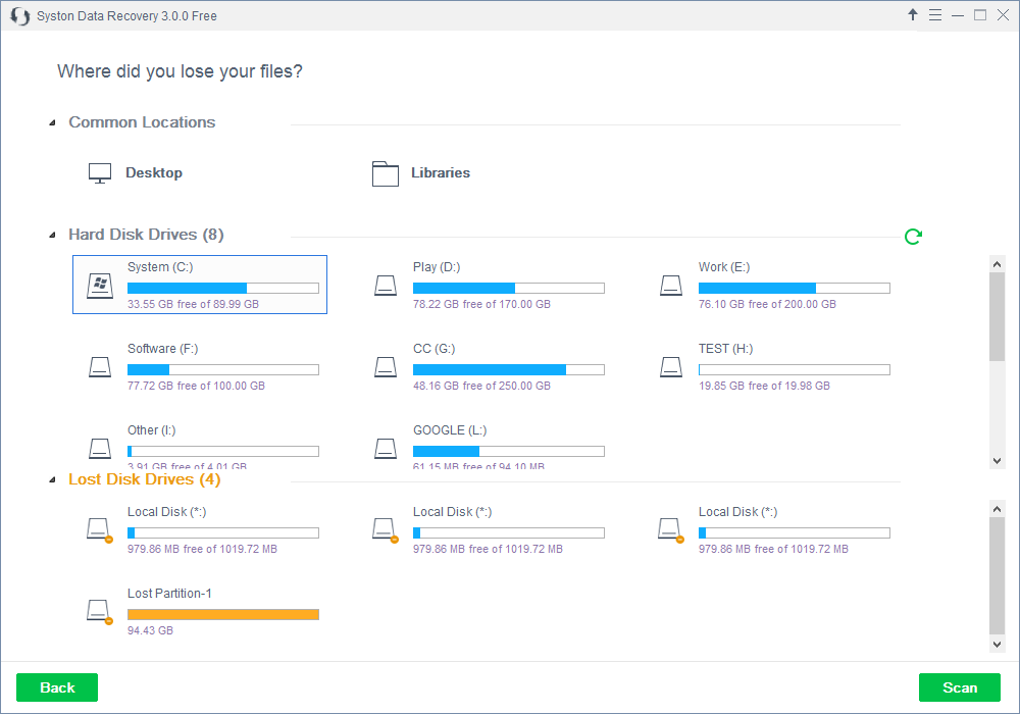
The main interface is clean and intuitive, with clearly labeled buttons and options. To recover lost data, select the storage device you wish to scan—this could be your internal hard drive, an external USB drive, an SD card, or even a mobile device connected via USB.
Next, choose between the Quick Scan or Deep Scan mode. For recently deleted files, the Quick Scan is recommended and usually finishes within a few minutes. If the drive has been formatted or is showing errors, opt for the Deep Scan, which examines every sector of the drive and can take anywhere from 30 minutes to several hours depending on the drive size and condition.
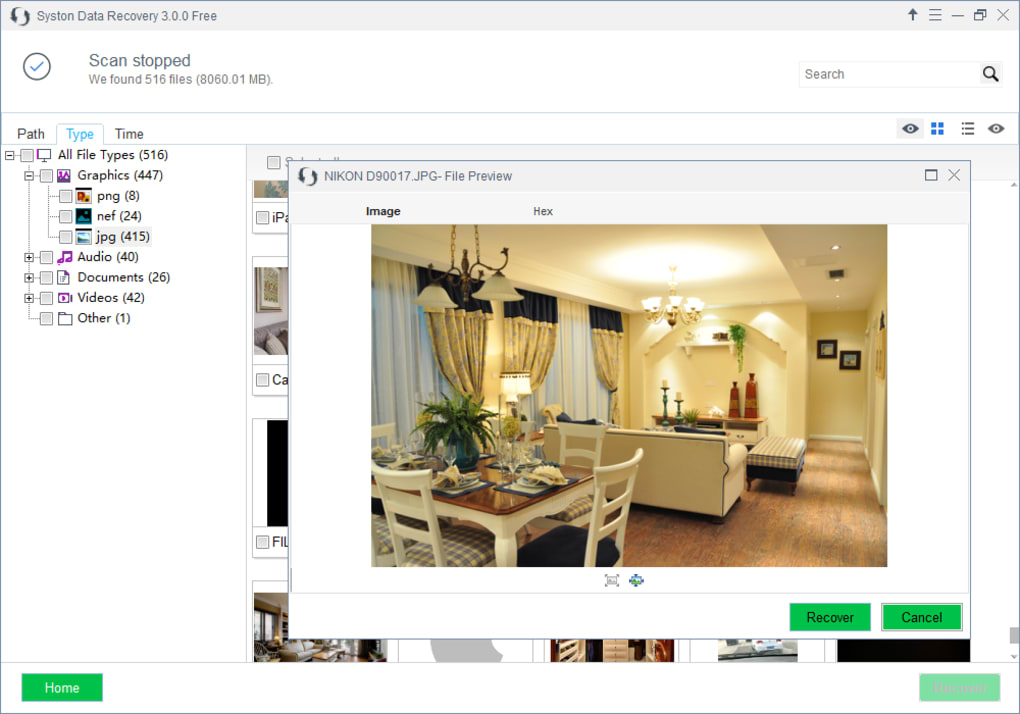
During the scan, the software displays a progress bar and estimated time remaining. Once the scan completes, a detailed list of recoverable files appears. You can preview files (especially documents, images, and videos) directly within the software to confirm their integrity before recovery.
After verifying the files, select the ones you want to restore and click the "Recover" button. Choose a safe location to save the recovered files—preferably a different drive than the one being recovered from to prevent overwriting. The software will then copy the selected files to your chosen folder. It’s crucial to avoid saving recovered data back to the original drive, as this may overwrite other recoverable data and reduce the success rate. For best results, use Syston Data Recovery Free as soon as you realize data is lost to maximize recovery chances.
Compatibility and System Requirements
Syston Data Recovery Free is designed to be compatible with a wide range of operating systems, making it accessible to users across different platforms. It supports Windows 11, Windows 10, Windows 8.1, Windows 7 (32-bit and 64-bit), and macOS 10.13 to macOS 14 (Sonoma). This broad compatibility ensures that both modern and older systems can use the software effectively. Additionally, the tool extends its reach to mobile devices, supporting Android smartphones and tablets (with USB debugging enabled) and iOS devices (via iTunes or third-party connection tools). This cross-platform functionality is a major advantage for users who manage data across multiple devices.
The system requirements are modest, making it suitable for most personal computers. Minimum requirements include a 1 GHz processor, 512 MB RAM (1 GB recommended), and at least 100 MB of free disk space for installation. The software does not require high-end hardware, so even older machines can run it smoothly.
It’s worth noting that while the free version is fully functional, some advanced features like file filtering, recovery of larger files, or support for RAID arrays are reserved for the paid Pro version. However, the free edition still delivers impressive results for everyday data recovery needs. The software is lightweight, installs quickly, and runs efficiently without consuming excessive system resources.
Whether you're using a budget laptop, a desktop, or a mobile device, Syston Data Recovery Free adapts seamlessly to your setup.
Pros and Cons of Syston Data Recovery Free
- Pros:
- Completely free to download and use with no time limits
- Supports multiple file types including documents, photos, videos, music, and emails
- Compatible with Windows, Mac, Android, and iOS devices
- Two scanning modes: Quick Scan and Deep Scan for different recovery needs
- Non-destructive recovery—no changes to original data
- No adware, toolbars, or bundled software
- Simple, intuitive interface suitable for beginners
- Fast scan times for recent deletions
- Cons:
- Recovery limit: only 2GB of data can be recovered in the free version
- Advanced features like file filtering and recovery of large files require the Pro upgrade
- Mobile recovery on iOS requires additional setup (iTunes or third-party tools)
- Deep Scan can be time-consuming on large drives
- No built-in backup or scheduling features in the free version
Frequently Asked Questions (FAQ)
Is Syston Data Recovery Free safe to use?
Yes, Syston Data Recovery Free is safe and secure to use. It does not modify the original data during the recovery process and does not install any adware, spyware, or toolbars. The software is designed to be non-invasive, ensuring your system remains protected.
Can I recover files from a formatted hard drive?
Yes, Syston Data Recovery Free can recover files from formatted drives using its Deep Scan feature. The success rate depends on how recently the formatting occurred and whether new data has been written to the drive.
How long does a Deep Scan take?
A Deep Scan can take anywhere from 30 minutes to several hours, depending on the size and condition of the storage device. Larger drives or severely damaged ones may require more time.
Can I recover files from a damaged or unbootable system?
Yes, you can connect the damaged drive as an external device to another computer and use Syston Data Recovery Free to scan and recover data, even if the original system won’t boot.
What should I do after recovering files?
Always save recovered files to a different drive than the one being recovered from to prevent data overwriting. Avoid writing new data to the original drive to maximize recovery success.
Final Verdict: Why You Should Download Syston Data Recovery Free Today
Syston Data Recovery Free stands out as one of the most reliable and accessible data recovery tools available today. With its powerful scanning engine, broad device compatibility, and user-friendly interface, it empowers users to recover lost files without technical expertise. Whether you’ve deleted a family photo, lost a work document, or suffered a drive failure, this software offers a second chance.
The fact that it’s completely free with no hidden limitations makes it a top choice for personal users. While the free version has a 2GB recovery cap, the core functionality is robust and effective for most everyday scenarios. For users needing advanced features like larger file recovery or batch processing, the Pro version offers a seamless upgrade path.
If you’re looking for a secure, fast, and trustworthy file recovery tool, Syston Data Recovery Free is an excellent option. Don’t wait until it’s too late—download it now and protect your valuable data. With just a few clicks, you could recover what you thought was lost forever.
Download Syston Data Recovery Free today and regain control of your digital life—secure, fast, and completely free.







